Jump to content
Community collections
Collections curated by the community
Explore curated groups of files assembled by the community to help you discover tools and resources that work well together.
View Collections
Welcome to Wallpaper Planner a lightweight, fast, and user-friendly extension for Rust that enhances the default wallpaper tool with a powerful custom skin selector. 📐 Features 🔳 Custom UI: Access a sleek, in-game wallpaper selector by middle-clicking (FIRE_THIRD) while holding the wallpaper tool. The plugin automatically detects whether you're aiming at a wall, floor, or ceiling and opens the correct category. ⭐ Favourites System: Mark your favourite skins in each category, then easily toggle a view that shows only your most liked wallpapers. 👑 VIP Skins (New): Offer exclusive VIP-only wallpapers, floors, and ceilings to supporters or special groups. Create unlimited VIP tiers in the config (e.g. wallpaperplanner.vip, wallpaperplanner.vip1, wallpaperplanner.vip2, etc.). Assign unique skins to each tier. Players with the matching permission automatically see their extra VIP skins in the UI. 🎨 100% Custom All wallpapers are exclusively made for this plugin. No DLC or official skins are used, though some designs may be inspired by existing skins. 🎨 More Skins Incoming: New exclusive custom wallpapers are added regularly. You can also import your own Workshop skins with ease. 🔐 Permissions wallpaperplanner.use — Grants access to the wallpaper planner UI. wallpaperplanner.outside — Allows use of wallpapers outside of a player’s base. (Please note: This is currently in Beta. Not all skins perform perfectly on exterior surfaces or Armoured Tier walls.) wallpaperplanner.admin — Enables admin-only tools to rename, delete, or manage skins directly through the UI. 💬 Chat Commands /wallpaperplanner — Use this if you prefer a custom keybind instead of the middle mouse button. Must be used while holding the wallpaper planner. Example: Bind to H key Open console (F1) and enter: bind H "chat.say /wallpaperplanner" List of input keys to use in config that rust accepts. BACKWARD LEFT RIGHT JUMP DUCK SPRINT USE FIRE_PRIMARY FIRE_SECONDARY RELOAD FIRE_THIRD DISABLED ⛔ DISABLED Input Key (New): Server owners can now disable the UI keybind system entirely. In the config, set: "UI input key": "DISABLED" This prevents the menu from opening with FIRE_THIRD, allowing admins to enforce custom binds (e.g. /wallpaperplanner only).
5.0
$29.99
Basements lets players build underground rooms beneath their bases. Place a hatch on your foundation and dig straight down into a hidden basement with walls, ceilings, and full building privileges. Great for stashing loot, setting up secret bunkers, or just adding extra space. Readme Link - Click Here for Instruction and Documentation 👆Highly recommend reading the FAQ section! BUILD Build basements easily from your tool cupboard. Just place an entrance to get started.  EXPAND Expand your basement by drilling underground. But don't forget to bring a headlamp - its dark down there! TRAVERSE Place multiple entryways, building out your labyrinth of tunnels beneath your base.  DECORATE All deployables, electricity, and storage items can be placed in your basement. Take advantage of your new space! RAID Nothing is safe in Rust, including your basement. If all the entrances are destroyed, then the basement is too. Any loot below will float to the surface. Protect the entrance at all costs! API METHODS (For Plugin Developers) // Returns true if the given entityId is part of a basement. bool IsBasementEntity(ulong entityId) // Returns the building ids of the basements connected to a given surface building id. uint[] GetBasementBuildingIds(uint surfaceBuildingId) // Returns the building ids of the surface buildings connected to a given basement building id. uint[] GetSurfaceBuildingIds(uint basementBuildingId) Extension Plugins These are free plugins that add additional functionality to Basements. BasementsManager Provides a UI for admins to view and manage the basements on the server. Useful for debugging & fixing issues. Use with the /bm command, requires the basements.admin permission to use. BasementsManager.cs
4.9
Free
StarGuard Platform The RCON dashboard built for Rust server admins Manage your servers from anywhere. Console, players, bans, reports, automated rules, analytics, one place, persistent across wipes. Get Started Explore the Dashboard Just a preview, countless other features integrated and planned. Console Full RCON access from your browser Players Live player list with deep profiles Reports All F7 reports in one place Statistics Live server KPIs and performance Plugins Oxide and Carbon plugin management Under the Hood Built for speed and moderation workflows, with real-time data, automation, and persistent history. 🖥️ RCON Console Full RCON from your browser. Command history, syntax highlighting, real-time output. 👥 Player Intel Deep player profiles, alts, playtime, connections, ban history. One click to moderate. 🛡️ Threat Detection Flags suspicious joins instantly. VPN detection, threat scoring, known cheater alerts. ⚡ Automation Event-driven rules. Auto-kick, auto-ban, scheduled commands, runs 24/7. 📊 Analytics Player counts, peak hours, retention, performance trends. 💾 Persistent Data Persistent across wipes. Chat logs, bans, reports, events, all searchable. Oxide Compatible Carbon Compatible Developer API StarGuard hooks into global.playerlist and extends it. If you're building on top of this, here's what you get. GetPlayerList(ConsoleSystem.Arg arg) Replaces the default global.playerlist handler. Returns JSON with extended player data not available in the vanilla response. Response Fields SteamID · OwnerSteamID · DisplayName · Ping · Address · EntityId · ConnectedSeconds · ViolationLevel · Health · NetworkId · S_TeamId TryGetCommand(out ConsoleSystem.Command command) Scans ConsoleSystem.Index.All for global.playerlist. Returns true with the command reference via out, false otherwise. Get set up in 2 minutes. Create an account, connect your server, done. Get Started
5.0
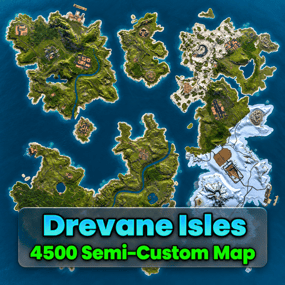
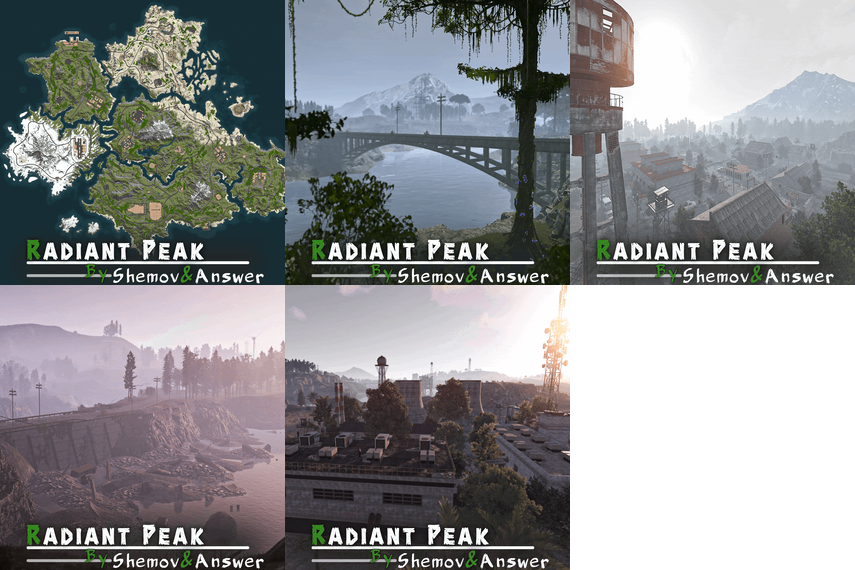
FEATURES Map size: 4500; Prefab count: ~54k; A lot of attention was paid to nature, and each section of the map was designed in detail; Most of the rocks are hand-crafted, which makes them look much better. The custom config for the BetterNpc plugin is set up so that bots are present at all points of interest; Compatible with BetterNPC plugins (Config for bots in the file),  Train Homes and Raidable bases; Underground railway; A large number of small settlements/single buildings not marked on the road map by road; Double-track surface railway with 1 entrance to the metro with separate branches for spawn trains; Ring road (compatible with event plugins); There are custom trawlers; Evenly spaced monuments to spread the FPS load of client; A lot custom building places (X on the minimap); Custom places for building in the subway (XU on the minimap); Bridges are designed for easy tugboat access; A large number of points with access to fresh water for farms. ( Rivers inside the island work like regular game rivers ) CUSTOM MONUMENTS Oil Refinery; Destroyed satellite dishes; Heli towers (1-5); Construction Site; Abandoned Oil Tanks; Oil Tanks; Crash Site; Oil Platform; Deep Seeker ( Trawler ); Northwind ( Trawler ); Storm Trawler ( Trawler ); Sea Wolf ( Trawler ); Silver Catch ( Trawler ); Bering Beauty ( Trawler ); Underwater caves (x2 ) ( Zones for underwater farm ); Sunken Containers (x2 ) ( Zones for underwater farm ); A lots custom places to build a base. ( "X"/"XU"  on map  ); Train Station ( For Train homes plugin ) A lots unmarked buildings. FACEPUNCH MONUMENTS Combined Outpost; Apartment Complex; Military Tunnel; Harbour (2/2); Ziggurat; Ferry Terminal; Radtown; Abandoned Supermarket; Nuclear Missile Silo; Oxum's Gas Station; Airfield; Lighthouse; The Dome; Water treatment plant; Trainyard; Power Plant; Arctic Research Base; Desert Military Base; Giant Excavator Pit; Stone, Sulfur & HQM quarries; Satellite Dish; Small & Large Oil Rig; Large Underwater Lab. My Discord: shemov Discord Server: https://discord.gg/UpUXuxs4Vx A password is attached to the map.  You can edit it.  
5.0
sale
330 Raidable bases by JaaaaaThomas All bases up until 08.06.2026  Important Reminder This is a Base Model Pack (.json files). It is NOT the Raidable Bases plugin script. These are the blueprints crafted by our professional building team.  Level Up Your Server Don't settle for basic cubes. Give your players a challenge they’ll never forget. Whether you're looking for a "Hardcore" event or a permanent fortress for your top clan, these 330  bases are built to dominate. [ Buy Now & Start Building] This package includes all of my other packages.
0.0
sale
Rust CUI Editor Visual Interface Designer for Rust Stop writing UI code blindly. Design your CUI interfaces visually and export ready-to-use code in seconds.   What is this? Rust CUI Editor is a desktop application for creating Rust game UI (CUI) interfaces using a visual drag-and-drop editor. Instead of writing dozens of lines of CuiHelper code and constantly reloading your plugin to see the result, you design everything visually and get clean, working code instantly. Video demonstration 2.0.0 Version (At the moment the version is already newer with new features)   Elements Panel Image (URL/sprite) Label (with outline) Button InputField ScrollView Countdown Draggable Slot NeedsCursor / NeedsKeyboard Layout Horizontal Layout Group Vertical Layout Group Grid Layout Group Content Size Fitter LayoutElement Visual Drag elements on canvas Resize with 8 handles Multi-selection Marquee select Anchor/offset system Element rotation Inline text editing Element locking Alignment Left / Center / Right Top / Middle / Bottom Stretch to parent Match Width/Height Distribute evenly   🆕 Find & Replace Search and replace element properties across the entire project at once. No need to click through each element manually. ► Search by text content, color value, sprite, or material ► Filter results by element type ► Replace single matches or all at once ► Full undo support for bulk replacements   🆕 Inspect Element Dedicated inspection window for any selected element. Shows all properties in structured form alongside the raw CUI JSON output. ► All component properties in one place ► Raw CUI JSON with one-click copy ► Useful for debugging and quick exports ► Opens with shortcut or right-click menu   🆕 Snapshots Save named project states at any point and restore them without losing your current work. Snapshots are completely separate from undo history. ► Create named snapshots before risky changes ► Restore any snapshot at any time — current work is preserved ► Stored in a .snapshots folder next to the project file ► Independent from undo/redo stack   🆕 Wrap in Parent You've built a header with a label and a close button, then realize you forgot to add a background panel behind them. Select all elements, right-click, Wrap in Parent — done. Nothing moves. ► Works with any selection of elements ► New parent is sized to the bounding box of the selection ► All anchors recalculate automatically ► Wrap into Panel, Button, Image, or ScrollView   🆕 Themes Dark Theme Default dark interface. Easy on the eyes during long sessions. Light Theme Full light mode across all panels, dialogs, and overlays. Toggle in settings.   🆕 Plugin Import Load CUI elements directly from an existing .cs plugin source file. The parser reconstructs the full element tree for visual editing. ► Parses CuiHelper and CuiElementContainer patterns ► Resolves local variables and string constants ► Handles loops and repeated element generation ► Substitutes lang message references with preview text ► Works on any Oxide/Carbon plugin file   🆕 Built-in Reference A built-in help system with searchable articles covering the entire CUI system. No need to leave the editor to look something up. ► Articles for every element type and property ► Covers layers, ScrollView, blur materials, anchors, offsets, fonts ► Shortcut reference with all editor hotkeys ► Live demo canvas inside each article ► One-click "Add to project" from any example   🆕 Performance Rewrite Canvas GPU rendering Scene bitmap cache Static layer cache SKPicture cache SKPaint pooling (50+ allocs/frame saved) Text layout cache Typeface cache Pan without full re-render Element Tree Debounced rebuild on rapid changes Bulk update batching Fast flat selection cache O(n) ThumbnailBrush cache Detach() memory leak fixed Color Picker Real-time updates while dragging Only the affected element redraws No full scene invalidation     🆕 Live Preview See your UI exactly as it appears in-game, right inside the editor. Every element is fully rendered with correct Rust scaling, colors, sprites, and fonts. No need to reload your plugin to check the result. Rendering Panels & Images Labels with fonts Rich Text support Sprite tinting FadeIn / FadeOut Interactive Button hover & press ScrollView with inertia Elastic bounce Auto-hiding scrollbars Live Countdown Drag & Drop Draggable elements Slot filter matching MoveToAnchor snap Element swapping KeepOnTop z-order Tools Element Inspector Grid overlay Outlines view Auto-sync with editor Screenshot to PNG All CuiDraggableComponent properties are supported in preview: LimitToParent, MaxDistance, AllowSwapping, DropAnywhere, DragAlpha, ParentPadding, ParentLimitIndex, AnchorOffset, and more. ► Pick up Draggable elements and drop them into Slots ► Filter matching ensures only compatible elements snap ► Swap elements between occupied slots ► Inspector overlay shows element info on hover (shortcut: I) ► Grid and outline overlays for layout debugging (G / O) ► Background selector: dark, light, or any game screenshot ► Auto-sync keeps preview updated as you edit ► Export preview as PNG screenshot (S)   🆕 Smart Hook Generation When your project uses Draggable or Slot elements, the export automatically generates ready-to-use hook methods with proper logic: ► OnCuiDraggableDrag with if/switch blocks for each draggable ► OnCuiDraggableDropped with switch by slot name ► Comments with accepted elements and filter values ► Works in both Snippet and Plugin export modes   🆕 Developer Tools Professional plugin development toolkit with four dedicated tabs: Plugin Settings Author & version Chat/console commands Auto-show hooks Permissions list Plugin references Generate Unload Lang System Multi-language support Visual translation table Per-element lang keys lang.GetMessage() export Canvas preview ImageLibrary Image key/URL table Per-element ImageLib key GetImage() helper Auto OnServerInitialized Auto plugin reference Templates Reusable code templates Custom method generation Placeholder system Per-project settings 🆕 Localization System Full multi-language support for your plugins. Assign lang keys to any text element, manage translations visually, and export with automatic lang.GetMessage() calls. ► Add unlimited languages (en, ru, de, fr, etc.) ► Visual translation table - edit all strings in one place ► Toggle between raw text and lang key per element ► Canvas shows resolved translations in real-time ► Exported code includes full LoadDefaultMessages with all languages 🆕 ImageLibrary Integration Manage image assets directly in the editor. Define image keys and URLs, assign them to elements, and get clean export code with automatic ImageLibrary loading. ► Image key/URL table in Dev Tools ► ImageLib Key property on Image elements ► Export generates GetImage() helper method ► Plugin export auto-adds OnServerInitialized with image loading ► Automatic [PluginReference] ImageLibrary in export 🆕 Syntax Highlighting ► C# syntax highlighting in Export window ► JSON syntax highlighting in Export window ► Color-coded keywords, strings, numbers, comments ► Optimized for large code blocks 🆕 SVG Design Import Import your designs directly from professional design tools: Figma export to SVG and import Illustrator Adobe AI/SVG support Inkscape free vector editor Any SVG standard format ► Automatic source detection optimizes parsing for each tool ► Smart layer hierarchy preservation ► Automatic element type detection (btn_, lbl_, img_, panel_) ► Correct parent-child coordinate conversion   🆕 Figma Plugin & Tools New "Tools" folder included with the editor: ► CuiHelper Plugin for Figma - export designs directly to C# code ► Sample SVG designs - ready-to-import examples for testing and learning ► Documentation - setup guide for Figma plugin   🆕 Smart Resize Mode Default Mode Resize by changing Anchor values Perfect for responsive layouts that scale with screen size Shift + Resize Resize by changing Offset values Perfect for pixel-perfect positioning Orange handles indicate active mode   🆕 Inline Text Editing ► Double-click any text element to edit it directly on canvas ► No need to switch to the property panel, just click and type ► Press Enter or click outside to confirm changes   Guides, Grid & Smart Snapping ► Draggable guides from rulers ► Customizable grid with snap ► Smart guides - auto-snap to edges ► Distance indicators while dragging   Multiple Backgrounds Preview your UI on actual game screenshots: Game view Inventory Loot container Crafting Map Transparent Export Formats Generate ready-to-use code in three formats: C# (CuiHelper) container.Add(new CuiPanel { RectTransform = { AnchorMin = "0.3 0.3", AnchorMax = "0.7 0.7" }, Image = { Color = "0.1 0.1 0.1 0.9" } }, "Overlay", "MyPanel"); JSON [{ "name":"MyPanel", "parent":"Overlay", "components":[...] }] Full Plugin Complete .cs file with: • using statements • class definition • commands & permissions • Lang & ImageLib integration • all UI code   Import Existing Code Already have CUI code? Import it! ► Paste JSON array ► Paste C# CuiHelper code ► Import from PSD files ► Import from SVG files (Figma, Illustrator, Inkscape) ► Import from .cs plugin source files The editor parses your code and recreates all elements for visual editing.   Project Management ► Save/Load project files ► Multiple tabs for different projects ► Recent projects with thumbnails ► Per-project settings ► Close confirmation for unsaved changes   Property Editor Full control over every element property: ► Position (anchors + offsets) ► Colors with Rust format (0-1 RGBA) ► Fonts and text alignment ► Sprite/material selection ► Outline settings ► Fade in/out animations ► Button commands ► Input field parameters ► ScrollView settings ► Rotation and pivot point     Element Hierarchy ► Layer-based structure (Overlay, Hud, HudMenu) ► Parent-child relationships ► Drag & drop reordering ► Visibility toggle ► Lock elements to prevent accidental edits ► Rename with double-click ► Hover a tree node to highlight it on canvas   Additional Tools Measure Tool measure distances on canvas Style Picker copy style between elements Sprite Library browse Rust sprites Color Picker Rust format preview   Quality of Life ► Unlimited undo/redo ► Copy/paste/duplicate elements ► Copy/paste style ► Keyboard shortcuts for everything ► Multiple preset resolutions ► Smooth multiplicative zoom ► Auto-fit canvas to window ► Dark and light themes ► English & Russian localization ► Automatic update notifications   System Requirements ► Windows 10/11 ► .NET 8.0 Runtime (bundled) Installation 1. Download and extract the archive 2. Run RustCUIEditor.exe 3. Start creating!   Questions or support issues? Contact me via CodeFling messages.
5.0
$14.99
Weather & time control Own the sky — from a GUI, not a config file Vanilla weather is a coin flip you don't get to influence. This plugin shuts it off and hands you the whole sky: build your own presets, tune every value with plain-English names, chain them on a schedule, or mirror the real weather of any city on Earth. Everything is editable in-game and applies instantly. 33 Tunable parameters 24 Schedulable hours 6 Presets preloaded 0 Dependencies ✓ Every parameter named in plain English — no cryptic engine values ✓ Real lightning strikes — not just thunder sounds ✓ Live weather synced from any real location on Earth ✓ Separate day and night length — plus vote-based night skip   Video See it in action     01 — Presets Weather presets you actually control All six vanilla presets are imported automatically on first load, so you start from a working base instead of a blank slate. From there, nothing is off limits. Everything is a dial Rain, wind, thunder, rainbow and ocean wave height · cloud coverage, size, opacity and scattering · fog density · atmosphere brightness and contrast, day and night separately · full volumetric cloud control Named in plain English "Waves in the sea" instead of "OceanScale" · "Fog density" · "Sun glow size". No guessing what a value does before you drag it. Real lightning, not a sound effect Any preset with Thunder above zero fires actual strike effects for every online player, across three intensity tiers, with frequency scaling off the Thunder value. ✓ Smooth transitions — set a transition time per preset and weather eases in over seconds or minutes instead of snapping ✓ Weighted random — make Storm rare and Clear common with a single number ✓ Duration per preset — when one ends, the next rolls automatically   02 — Time Time and nights on your terms Long days, short nights, or no nights at all — and if you'd rather let the server decide, hand the choice to your players. Day and night length, separately A 45-minute day with a 10-minute night is one number each. Sunrise and sunset hours are configurable, and /setday and /setnight change time instantly. Skip nights automatically One toggle and nights are skipped the moment they start. Ideal for PvP servers and low-population wipes. Or let players vote A vote opens at an hour you choose and the night is skipped only if your required percentage agrees. Vote window, sound effect and every message are customizable. An anti-abuse limit locks voting after a set number of consecutive skipped nights, so your server still has nights.   03 — Automation Automation that runs the sky for you Set it once and never touch it again — either on a schedule you design, or synced to the real world. Rust-time schedule Assign presets to any of the 24 in-game hours. A preset holds until the next scheduled one, so filling three slots already covers a whole day. No two days alike Put several presets in one slot — "Storm,Dust" — and one is picked at random by weight every time that hour comes around. Real-world weather sync Give it coordinates and an OpenWeatherMap key and your server mirrors the live weather of that location, rechecked every in-game hour. Map each real condition — Clear, Rain, Snow, Thunderstorm, Fog — to whichever preset you like.   Reliability Built to be left alone ✓ Weather survives restarts — the active preset and how long it has been running are saved, so a reboot doesn't reset the sky to a random state ✓ Active preset is highlighted in the UI — you always know what's running ✓ Optional console announcement whenever a new preset starts ✓ Clean unload — vanilla weather chances are restored exactly as they were   Commands Three admin commands, one for players Admin commands require the weather.use permission. /wsetup Open the setup UI /setday Set time to day /setnight Set time to night /nskip Vote to skip the night — configurable, open to all players   Hooks & API For plugin developers string API_GetCurrentWeatherPreset() Returns the name of the active preset void OnNewPresetStart(string presetName) Called when a new preset begins   Questions Before you buy I scheduled a preset at hour 3, but hours 4–9 are empty. What happens? A preset runs until the next scheduled one. Set Rain at 4 and Dust at 9 and you get rain from 4 to 9, then dust from 9 until hour 4 comes back around. Can I put more than one preset on the same hour? Yes — comma-separated, like "Storm,Dust". One is chosen at random each time, weighted by each preset's chance. How do I know which preset is currently active? Open the UI — every preset is listed and the active one is highlighted. A preset you've only selected to edit is not. What happens when the current preset ends? A new one starts at random, weighted by the chance value you gave each preset. Does the weather reset when the server restarts? No. The active preset and its elapsed time are saved, so the sky picks up where it left off. Do I need an API key? Only for real-world weather sync. Everything else works out of the box, and a free OpenWeatherMap key is enough.
5.0
Allows both PVE and PVP players to exist on a server at the same time. PVE players will have certain configurable protections and restrictions. You can have players use a command to flag themselves as PVP/PVE or you can assign it to them when they first spawn. If you have ZoneManager you can also designate specific zones to force player's to be PVE or PVP. Plugin is also compatible with SimpleStatus. Note: Video is outdated, see documentation for a full list of new features! Documentation: A full readme including permissions, commands, and config options is available in  this google doc link. Disclaimer: Like all of my plugins - this plugin is sold as is. I will be happy to take feature requests into consideration but make no guarantees about which ones get implemented. Please refer to the feature list before you make your purchase! Developer API: API Methods // Returns the mode of the given entity. Also takes into account if the entity is in a forced mode zone. string GetEntityMode(BaseEntity entity); // Returns the group name for the given mode. For example if given 'pve' will return 'warmodepve' string GetModeGroup(string modeId); // Returns the target type for a given entity. Target types are the category that an entity falls into. // For example, if given a BasePlayer entity, it will return 'players'. If given a horse entity is will // return 'horses'. string GetEntityTargetType(BaseEntity entity); Hooks - place these in your plugin and WarMode will call them. // Called when a player's mode has been updated or config changes have ocurred that may affect the mode. private void WarMode_PlayerModeUpdated(string userid, string modeId) // Used to override WarMode logic for taking damage. // If true/false is returned then WarMode logic will be skipped. Return null to continue WarMode logic. private object CanEntityTakeDamage(BaseCombatEntity target, HitInfo info) // Used to override WarMode logic for targeting. // If true/false is returned then WarMode logic will be skipped. Return null to continue WarMode logic. private object CanEntityBeTargeted(BasePlayer target, BaseEntity attacker, bool skipVendingCheck) // Used to override WarMode logic for triggering a trap. // If true/false is returned then WarMode logic will be skipped. Return null to continue WarMode logic. private object CanEntityTrapTrigger(BaseTrap trap, BasePlayer basePlayer) // Used to override WarMode logic for looting an entity. // If true/false is returned then WarMode logic will be skipped. Return null to continue WarMode logic. private object CanEntityLoot(BasePlayer looter, BaseEntity target, bool skipVendingCheck) FREE Extension Plugins: War Mode Admin Panel Use the /warmode.config or /wmc command to open a panel that allows admins to update mode rules in game without having to reload the pluign. Requires the warmode.admin permission to use. I HIGHLY recommend you use this extension! WarModeAdminPanel.cs War Mode Spawn UI Provides a UI that is shown to players when they first spawn that prompts them to choose whether they want to be PVP or PVE.   Also supports custom modes. Localization and config options available. This can also be configured to appear when players use the /flag command. WarModeSpawnUI.cs     War Mode Rules UI Using the /rules command (which is configurable) players can see a list of what restrictions they have for their current mode. These ruling will update dynamically based on your config settings. WarModeRulesUI.cs   War Mode Badges Customizable UI elements that will appear on the player's HUD to indicate what their current mode is. WarModeBadges.cs  
4.8
$15.00
BoatControl is a Rust server plugin that completely enhances boat handling. When taking the helm, a user-friendly CUI interface appears, allowing players to raise/lower sails and anchors, start/stop engines, and switch navigation direction forward or backward. The plugin also supports automatic reloading when the player has ammunition, cannon firing with configurable cooldown (or bypass via permission), and toggling all torches and lanterns without fuel consumption. Additionally, players can control navigation using W/S and fire cannons with the left mouse click.   Want to try it before you buy it? You can try it by accessing the Staging server: connect staging.rustspain.com (provided the server is online, as it's my test server).     Video Update 1.0.0   Features Displays a CUI interface when taking the helm that allows you to: Raise / lower sails. Raise / lower anchors. Turn engines on / off. Change the navigation direction forward / backward (engines and sails reverse accordingly). Reload (if the player has ammunition in their inventory, with a permission to bypass this). Fire cannons with a cooldown (or without it if you have the bypass permission). Turn all torches and lamps on/off (In the settings you can decide whether you want them to consume fuel or not). Allows enabling boat editing anywhere. Blocks edit mode within safe zones. Blocks the ability to activate the anchor within safe zones. Allows you to view the list of authorized players (similar to BetterTC). Sail Configuration System: Displays a window similar to the config menu showing all sails placed on the boat. Each sail shows its health amount below it. Added a button that allows upgrading sails by levels (thrust power). Everything is configurable, including upgrade costs (in-game resources, RP, or Economy). This allows admins to add as many levels as they want in the config.  Engine Configuration System: Displays a window similar to the config menu showing all engines placed on the boat. Each engine shows its fuel amount and health below it. Added the ability to refuel engines using fuel from the player’s inventory. Added another button that allows upgrading engines by levels (fuel efficiency and engine power). Everything is configurable, including upgrade costs (in-game resources, RP, or Economy). This allows admins to add as many levels as they want in the config. Important: There is a maximum speed limit in the game. I have been testing ways to increase the speed, but I still need to continue researching and testing to find the best way to increase it. Automatic repair system: If damage is received during repair, it will stop. If the player runs out of materials in their inventory, it will stop. If the player disconnects, it will also stop. Note: The boat health system is unusual and does not work like a normal building, so the system simulates repairs at different points on the boat depending on the percentage of health lost. That is why you will not hear the actual damaged entity being repaired. BetterTC Integration: If you have BetterTC installed with version 1.6.2 or higher, the automatic Wallpaper placement system will be enabled. Facepunch will add wallpaper support for Boats starting in March; you can test it meanwhile on staging.   You can also change the navigation direction using the W and S keys, and fire the cannons with the left mouse click. I'm open to further improving this plugin over time. If you'd like to see any features integrated, please mention them in the discussion section. Ideas I've tried but haven't been able to implement: Modifying the build area (net size) to make it larger. It doesn't seem possible to change this. Making the engines work without fuel consumption. I managed to do this in an initial test, but then FacePunch changed something and it's no longer possible. I'll try to see if I can adjust fuel consumption to make it more economical. The maximum number of engines and sails cannot be increased. Or at least not easily; it could be done with commands and strange contraptions, but it wouldn't be entirely convenient.   Permissions boatcontrol.use – Enables the functionality for the player when mounting the boat’s helm. boatcontrol.bypassammo – Allows you to fire cannons without using real ammunition from your inventory. Free ammo! (not recommended to give to regular players) boatcontrol.bypasscannoncooldown – Allows you to fire cannons with no cooldown. Maximum bombardment! boatcontrol.edit allows enabling boat editing anywhere. boatcontrol.cannonuse If the player doesn’t have it enabled, the option to control cannons won’t appear in the interface. Not having this permission will not block manual/vanilla use. boatcontrol.authlist Shows the list of players authorized to the Boat, similar to BetterTC. boatcontrol.deleteauth Allows authorized players to remove player permissions individually. boatcontrol.sailconfig  Allows players to open and manage the Sail Configuration menu for boats. boatcontrol.sailupgrade  Allows players to upgrade sails (thrust power) according to the configured upgrade levels. boatcontrol.engineconfig  Allows players to open and manage the Engine Configuration menu for boats. boatcontrol.engineupgrade  Allows players to upgrade engines (fuel efficiency and engine power) according to the configured upgrade levels. boatcontrol.wallpaper  Allows players to use the wallpaper placement system on boats. (Requires BetterTC version 1.6.2 or higher.) boatcontrol.repair  Allows players to use the automatic boat repair system. boatcontrol.repair.nocost  Allows players to repair boats without consuming materials Dynamic repair permissions (speed adjustment)  Allows admins to grant specific permissions defined in the config to adjust boat speed limits.   Commands It currently has no chat or console commands.   Configuration DEFAULT CONFIGURATION { "Enable WASD Direction": true, "Enable Cannon Fire Key (Left Mouse Button)": true, "Cannon Aim Step (degrees per click)": 5.0, "Cannon Fire Cooldown": 5.0, "Cannon Crew": { "Enable": true, "Names": [ "Seaman", "Deckhand", "Bosun", "Gunner", "Quartermaster", "Navigator", "Sailor", "Crewman", "Mate", "Boatswain", "Cannoneer", "Buccaneer", "Mariner", "Sea Dog", "Old Salt" ], "Health": 100.0, "MaxCannons": 0, "Wear": { "burlap.shirt": 1380044819, "burlap.trousers": 1380047706, "burlap.shoes": 2215057317, "hat.boonie": 965553937 }, "RequireOperate": true, "ToggleCrewCooldown": 30.0, "NoCorpse": true }, "Lights": { "Enable Light Toggle Key (R)": true, "Light Toggle Cooldown": 1.0, "Require Fuel For Lights": false, "Light Items (shortnames)": [ "tunalight", "lantern", "torchholder", "largecandles", "smallcandles", "jackolantern.angry", "jackolantern.happy", "chineselantern", "chineselanternwhite" ] }, "Impact Force Physics": { "Enable Impact Physics": true, "Impact Force (default: 100, range: 50-500)": 100.0, "Enable Debug Logging": false }, "Alert Chat": true, "Alert Notify Plugin": false, "Notify: select what notification type to be used": { "error": 0, "info": 0 }, "Color Prefix Chat": "#f74d31", "GUI": { "GUI Windows Belt": { "BG Color Primary": "0.10 0.15 0.10 1", "BG Color Secundary": "0.2 0.30 0.2 0.80", "Button Active Color": "0.2 0.6 0.2 0.80", "Button Inactive Color": "0.2 0.30 0.2 0.80", "OffsetMin": "-200 15", "OffsetMax": "181 79", "AnchorMin": "0.5 0", "AnchorMax": "0.5 0" }, "GUI Windows Info": { "BG Color Primary": "0.10 0.10 0.10 0.8", "BG Color Secundary": "0.2 0.30 0.2 0.80", "Button Active Color": "0.2 0.6 0.2 0.80", "Button Inactive Color": "0.2 0.30 0.2 0.80", "OffsetMin": "-115 -100", "OffsetMax": "115 100", "AnchorMin": "0.902 0.8104", "AnchorMax": "0.902 0.8104" }, "GUI Windows Cannons Menu": { "BG Color Primary": "0.10 0.15 0.10 1", "BG Color Secundary": "0.2 0.30 0.2 0.80", "Button Active Color": "0.2 0.6 0.2 0.80", "Button Inactive Color": "0.2 0.30 0.2 0.80", "OffsetMin": "-140 85", "OffsetMax": "140 185", "AnchorMin": "0.5 0", "AnchorMax": "0.5 0" } }, "Show Info Window": true, "Boat Edit Damage Cooldown (seconds)": 30.0, "Block Anchor in Safe Zone": true, "Block Boat Edit in Safe Zone": true, "Config Version": "1.2.0", "Repair Cooldown After Recent Damage (seconds)": 30.0, "Cooldown Frequency Repair (larger number is slower)": { "boatcontrol.use": 2.0, "boatcontrol.vip": 1.0 }, "Repair Costs (ItemShortName: Amount per block/component)": { "lowgradefuel": 4, "wood": 75 }, "Engine Upgrades": { "Enable Engine Upgrades": true, "Upgrade Levels": [ { "Level": 1, "Display Name": "Tier 1", "Fuel Efficiency Multiplier (1.0 = normal, 0.5 = half fuel consumption)": 0.9, "Power Multiplier (1.0 = normal, 2.0 = double power)": 2.0, "Upgrade Cost": { "Resource Costs (ItemShortName: Amount)": { "scrap": 100, "lowgradefuel": 50 }, "ServerRewards Points": 0, "Economics Money": 0.0 } }, { "Level": 2, "Display Name": "Tier 2", "Fuel Efficiency Multiplier (1.0 = normal, 0.5 = half fuel consumption)": 0.8, "Power Multiplier (1.0 = normal, 2.0 = double power)": 4.0, "Upgrade Cost": { "Resource Costs (ItemShortName: Amount)": { "scrap": 250, "lowgradefuel": 100, "metal.fragments": 300 }, "ServerRewards Points": 0, "Economics Money": 0.0 } }, { "Level": 3, "Display Name": "Tier 3", "Fuel Efficiency Multiplier (1.0 = normal, 0.5 = half fuel consumption)": 0.65, "Power Multiplier (1.0 = normal, 2.0 = double power)": 8.0, "Upgrade Cost": { "Resource Costs (ItemShortName: Amount)": { "scrap": 500, "lowgradefuel": 200, "metal.fragments": 500, "metal.refined": 25 }, "ServerRewards Points": 0, "Economics Money": 0.0 } }, { "Level": 4, "Display Name": "Tier 4", "Fuel Efficiency Multiplier (1.0 = normal, 0.5 = half fuel consumption)": 0.65, "Power Multiplier (1.0 = normal, 2.0 = double power)": 16.0, "Upgrade Cost": { "Resource Costs (ItemShortName: Amount)": { "scrap": 1000, "lowgradefuel": 300, "metal.fragments": 1500, "metal.refined": 100 }, "ServerRewards Points": 0, "Economics Money": 0.0 } } ], "Currency Type (Resources, ServerRewards, Economics)": "Resources" }, "Sail Upgrades": { "Enable Sail Upgrades": true, "Upgrade Levels": [ { "Level": 1, "Display Name": "Tier 1", "Thrust Multiplier (1.0 = normal, 2.0 = double thrust)": 1.5, "Upgrade Cost": { "Resource Costs (ItemShortName: Amount)": { "scrap": 75, "cloth": 100 }, "ServerRewards Points": 10, "Economics Money": 0.0 } }, { "Level": 2, "Display Name": "Tier 2", "Thrust Multiplier (1.0 = normal, 2.0 = double thrust)": 2.0, "Upgrade Cost": { "Resource Costs (ItemShortName: Amount)": { "scrap": 150, "cloth": 200, "leather": 50 }, "ServerRewards Points": 15, "Economics Money": 0.0 } }, { "Level": 3, "Display Name": "Tier 3", "Thrust Multiplier (1.0 = normal, 2.0 = double thrust)": 2.5, "Upgrade Cost": { "Resource Costs (ItemShortName: Amount)": { "scrap": 300, "cloth": 300, "leather": 100, "metal.fragments": 200 }, "ServerRewards Points": 20, "Economics Money": 0.0 } }, { "Level": 4, "Display Name": "Tier 4", "Thrust Multiplier (1.0 = normal, 2.0 = double thrust)": 3.0, "Upgrade Cost": { "Resource Costs (ItemShortName: Amount)": { "scrap": 600, "cloth": 500, "leather": 200, "metal.fragments": 500 }, "ServerRewards Points": 30, "Economics Money": 0.0 } } ], "Currency Type (Resources, ServerRewards, Economics)": "ServerRewards" } } For any problem, doubt, suggestion or assistance do not hesitate to contact me by Discord ninco90    
5.0
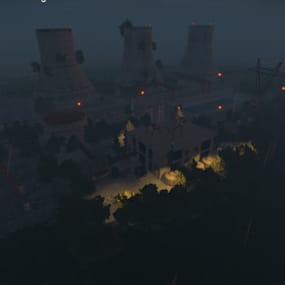
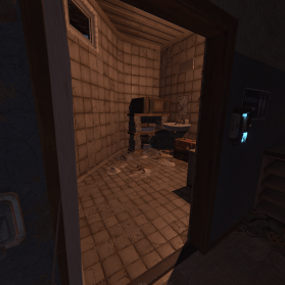
Upgrade the tier-1 monuments on your server with custom-built Blue Keycard Puzzle Rooms for both the Supermarket and Oxum’s Gas Station! Naturally, these starter monuments only offer basic green card setups or loose loot. This plug-and-play configuration transforms their doors into fully operational blue card puzzle rooms, giving your players a thrilling progression step and a reason to fight over these unused spaces. Perfect for adding depth to low-tier areas without cluttering your map with completely custom monuments! Features Seamless Integration: Designed to perfectly fit the existing vanilla doors inside and outside the Supermarket and Gas Station. Progressive Gameplay: Upgrades these standard areas into blue keycard puzzle destinations requiring an active fuse/card setup. Customized Loot Tables: Packed with various loot crates (such as military crates, tech crates, and toolbox) to make completing the puzzle highly rewarding. Optimized Performance: Uses native monument assets and zero-friction entity placement to ensure zero impact on server performance or FPS drops. Plug & Play: Easy installation via standard monument plugins. The loot will be based on your own loot table! Im using my 2x table in the videos that can be found here: Link Supermarket Blue Room Configuration: Actives the locked back-room doors, turning the storage area into a high-tier loot closet. Gas Station Office/Restroom Puzzle: Restores functionality to the office space, turning the tiled backrooms into a secure crate cache. Video of the config:   
5.0
Highest Rated
Top-rated picks trusted and loved by the community.
Trending Files
Popular picks members are downloading the most right now.
Great Deals
Discounted picks, limited-time deals, and sale items worth grabbing now.
Latest Reviews
See what customers are saying about their experience with files.
not operable as is. only reason for the 1 star. bought with a blind view since no reviews. will adjust and or rate once and or if fixed.  
Good map with good potential however significant patching required, military tunnels was floating 50 metres in the air and every single river had to be fixed as the water was clipping through the surrounding areas
LuffyRust 1000x PvP had an incredible experience running Battle Planet. Our players thoroughly enjoyed the map, and many now ask for it by name whenever we discuss future wipes. The map is beautifully designed, performs extremely well, and provides plenty of exciting areas for players to explore, build, fight, and create memorable wipe experiences. We can confidently recommend Nomad and his work. The quality, creativity, and attention to detail are outstanding. You will not be disappoi
Each base feels methodically designed. The easier bases start out approachable, while the higher difficulty levels are designed to lure players into a false sense of security, only for them to instantly regret their decision when they’re sent back to the respawn button. This provides a challenge that requires them to pay attention and think, keeping them engaged with your content, and helping with player retention long term.
This is an excellent map. My players had alot of fun and were engaged the entire time. The map has a great selection of monuments that encourages high-stakes PvP while providing plenty of build space. My players and I also did not have any kind of issues at all in regards to terrain glitches or anything else that could possibly go wrong with a custom map. Furthermore, the creator was very quick to answer any questions I had even after purchase.
Very good developer. I was initially skeptical and honestly didn't think this project would last, but I've been proven completely wrong. The developer consistently updates, maintains, and improves the plugin, and it's clear they genuinely care about its quality. The plugin works like a charm—it's intuitive, well optimized, and incredibly easy to use. I ended up replacing the old Player Administration plugin from uMod with this one, and the difference is night and day. This plugin offers a m
I really enjoy this plugin.   it makes beach living a bit more interesting.    Thank you for making this available.

About Us

Codefling is the largest marketplace for plugins, maps, tools, and more, making it easy for customers to discover new content and for creators to monetize their work.

Downloads
2.8m
Total downloads
Customers
11.8k
Customers served
Files Sold
167.2k
Total sales
Payments
3.6m
Processed total
×
×
  • Create New...

Important Information

We have placed cookies on your device to help make this website better. You can adjust your cookie settings, otherwise we'll assume you're okay to continue.